

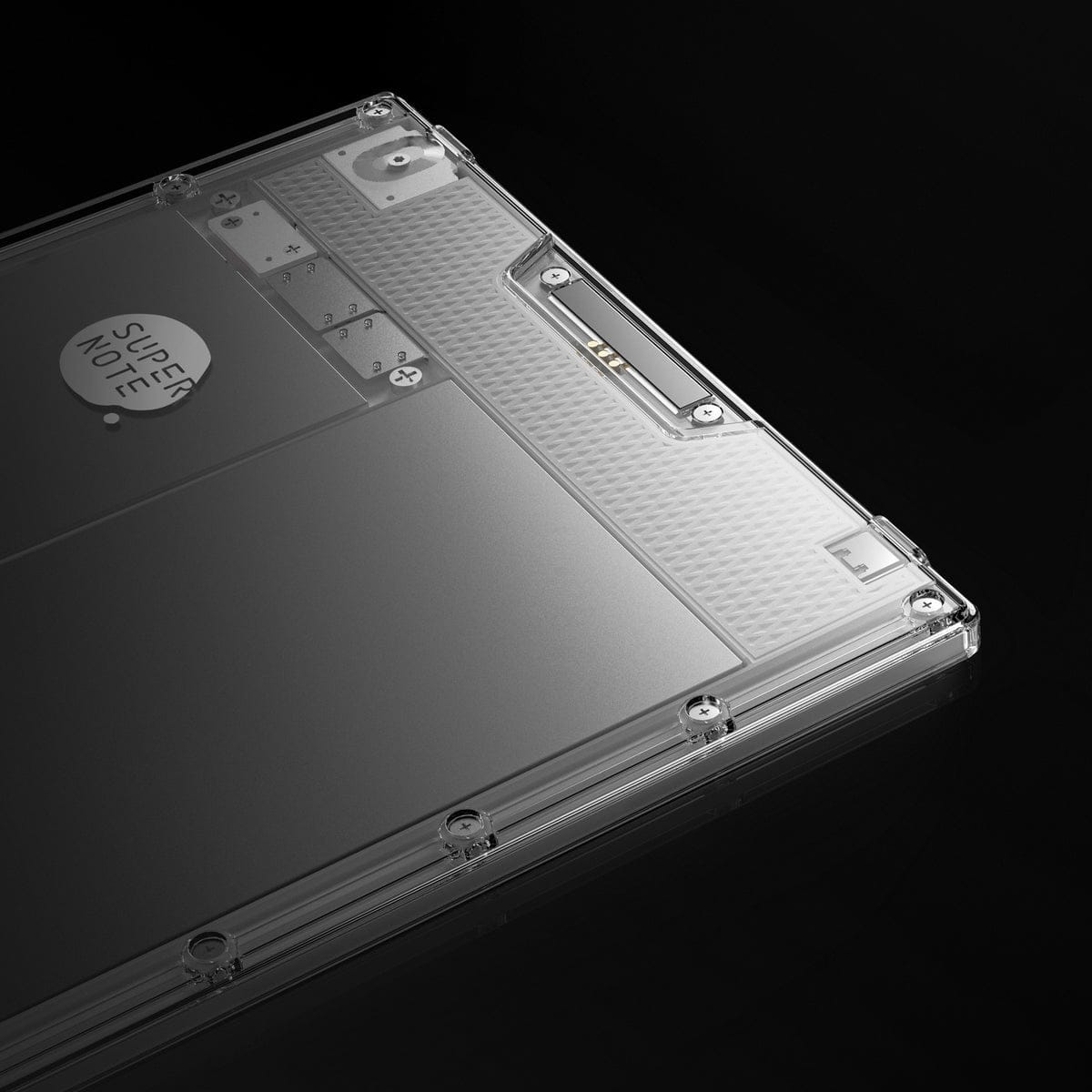
The Supernote Nomad (A6X2) is a 7.8-inch e-ink tablet designed for portability without sacrificing writing quality. Known for its ceramic stylus that never needs replacement and community-driven development, the Nomad offers a unique take on portable digital planning.
Supernote Nomad Specifications
- Display: 7.8-inch Carta glass e-ink, 300 PPI
- Resolution: 1872 x 1404 pixels
- Processor: RK3566 Quad-Core 1.8 GHz
- RAM: 4GB
- Storage: 32GB internal + MicroSD expansion
- Dimensions: 191.9 x 139.2 x 6.8mm
- Weight: 266g
- Connectivity: WiFi, Bluetooth, USB-C
- OS: Chauvet (based on Android 11)
- Screen Protector: FeelWrite2 (paper-like texture)
Why the Supernote Nomad for Digital Planning?
Supernote takes a different approach than reMarkable or BOOX. The company prioritizes durability, repairability, and community feedback over chasing the latest specs. For digital planners, this translates into real benefits.
The Ceramic Stylus Advantage
While reMarkable and BOOX styluses require tip replacements, Supernote’s Heart of Metal pen uses a ceramic nib that lasts indefinitely. No consumables, no ongoing costs, no interruption to your planning when tips wear out. The pen never needs charging either—it’s always ready.
User-Repairable Design
Both the White and Crystal editions of the Nomad are designed with repairability in mind. You can replace the battery, motherboard, and other components yourself. This isn’t just eco-friendly—it means your planning device can last for years without becoming obsolete.
MicroSD Expansion
Unlike most e-ink tablets, the Nomad includes a MicroSD card slot. Expand your storage as needed—useful if you maintain archives of past planners or work with many large files.
Community-Driven Development
Supernote actively implements features requested by users. The company maintains a public roadmap and regularly releases firmware updates with community-requested improvements. Your feedback can shape the device’s future.
Supernote Nomad vs Manta (A5X2)
Supernote offers two main devices:
| Feature | Nomad (A6X2) | Manta (A5X2) |
|---|---|---|
| Screen Size | 7.8 inches | 10.65 inches |
| Weight | 266g | ~370g |
| Display | Carta 1200 | Carta 1300 |
| Best For | Portability | Full-page viewing |
Choose Nomad if: You want a portable device for on-the-go planning, prefer compact form factors, or need a secondary device alongside a larger tablet.
Choose Manta if: You primarily plan at a desk, work with detailed spreads, or want the largest viewing area possible.
Transferring Digital Planners to Supernote Nomad
Method 1: Supernote Cloud
- Log into cloud.supernote.com
- Upload your planner PDF
- On your Nomad, open the Document app
- Pull down to sync
- Your planner appears automatically
Method 2: Dropbox Integration
Supernote offers native Dropbox integration:
- Connect your Dropbox account in Settings
- Save your planner to a Dropbox folder
- Access directly from your Nomad
Method 3: USB Transfer
- Connect via USB-C
- Copy your planner to the Document folder
- Disconnect and open
Method 4: Partner App (Wireless)
- Enable Partner App in Settings
- Connect to the same WiFi network
- Enter the displayed IP in your browser
- Upload files through the web interface
Supported File Formats
The Supernote Nomad supports:
- PDF: Full hyperlink support for digital planners
- EPUB: E-books and publications
- Word (.docx): Microsoft Word documents
- Text (.txt): Plain text files
- Images: PNG, JPG, WebP
- Comics: CBZ format
- E-books: FB2, XPS
- Kindle: Via installed Kindle app (MOBI and other formats)
Optimizing Your Planning Experience
FeelWrite2 Screen Protector
The Nomad includes the FeelWrite2 screen protector pre-installed. This creates friction similar to pen on paper, making handwriting feel natural. The texture works beautifully with the ceramic stylus.
Floating Toolbar
Access pens, highlighters, and tools via Supernote’s floating toolbar. Customize which tools appear for quick access during planning sessions.
Gesture Navigation
Learn Supernote’s gesture system for efficient navigation:
- Swipe from edges to access menus
- Two-finger gestures for zooming
- Customizable gestures in settings
Daily Planning Workflow
Morning Routine
- Open your planner to today’s page
- Review scheduled appointments
- Write your top priorities
- Block time for focused work
Throughout the Day
- Capture tasks as they arise
- Use the highlighter for urgent items
- Navigate to project sections
- Check off completed items
Evening Review
- Review accomplishments
- Migrate incomplete tasks
- Preview tomorrow
- Note any reflections
Supernote vs Other E-Ink Tablets
Choose Supernote Nomad if:
- You want a stylus that never needs replacement
- Long-term durability and repairability matter
- You value community-driven development
- MicroSD expansion is important
- You prefer a company that listens to users
Consider alternatives if:
- You need color (reMarkable Paper Pro, BOOX)
- You want Android app flexibility (BOOX)
- You need front lighting (not available on Nomad)
Getting Started
The Supernote Nomad offers a unique combination of portability, durability, and writing quality. Its ceramic stylus and repairable design make it a long-term investment in your planning practice.
Browse our collection of digital planners compatible with Supernote devices—each featuring hyperlinked navigation optimized for e-ink displays.
Digital Planners for Supernote Nomad
Get started with digital planning on your Supernote:
- Ultimate reMarkable Planner 2026-2027 – Compatible with Supernote devices
- Digital Notebook for E-Ink Tablets – Perfect for Supernote note-taking
Related Guides: Check out Best reMarkable 2 Planners and How to Choose a Digital Planner.